Threads Profile Picture Download
Threads downloader, save profile picture from Threads

How to download Threads profile picture?
Step 1: Launch the Threads app on your phone or navigate to the Threads.net website.
Step 2: Identify the content you wish to download, tap on the share icon above the post, and select "Copy Link".
Step 3: Visit threadsphotodownloader.com, paste the copied Threads link into the input box, and click on "Download".
Step 4: Your chosen image will appear. Click on "Download" to save it to your device.
Procedure to download Threads profile picture on iPhone
Step 1: Open the Threads app on your phone or navigate to the Threads.net website.
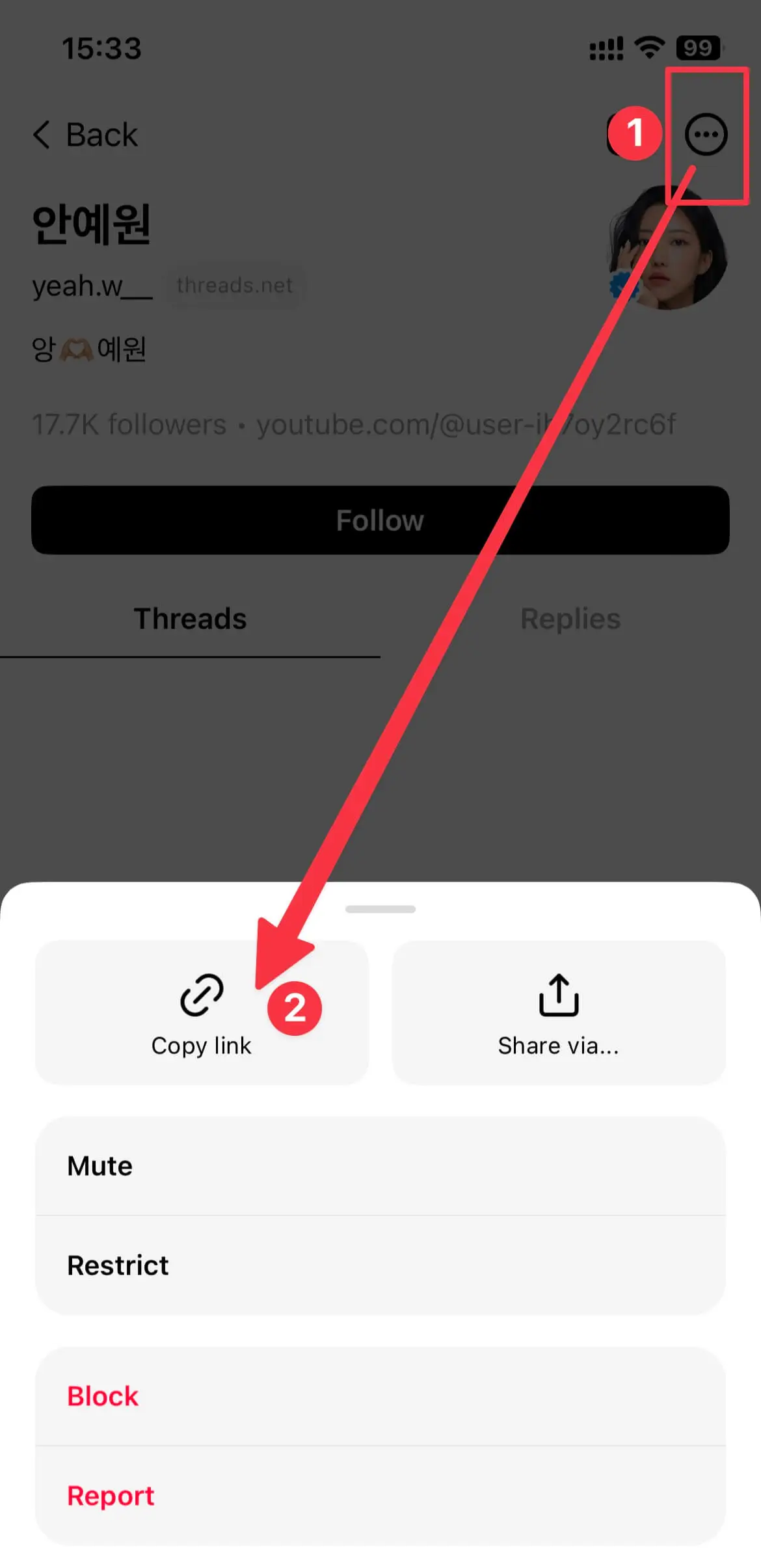
Step 2: Copy the Threads profile URL
To download your desired content, tap on the share icon above the profile and choose the Copy Link option.
Step 3: Browse to the website threadsphotodownloader.com using Safari browser. Paste the copied Threads link into the input box and hit the Download button.
Step 4: Your chosen image will appear. Tap on each profile picture's Download profile picture button, and it will be saved to your device.
Frequently Asked Questions
How to download Threads profile picture?
- Step 1: Paste the URL of the Threads profile into the input box and hit the Download button.
- Step 2: Your chosen image will be displayed. Tap the Download Profile Picture button beneath each photo, and the file will be stored on your device.
- (threadsphotodownloader.com is compatible with all devices including PC, Mac, Android, and iOS.)